iPhone TV remote
The universal TV remote app for iPhone
One app for Roku, Samsung, LG, Sony, Fire TV, Apple TV, Vizio, Hisense, Philips, Panasonic, Toshiba, Chromecast and Android/Google TV. Built by one developer who got tired of a drawer full of remotes, and of remote apps that pretend to work.
 Get A Decent Remote on the App Store Get A Decent Remote on Android Works over Wi-Fi. No IR blaster, no extra hardware
  Try the Android test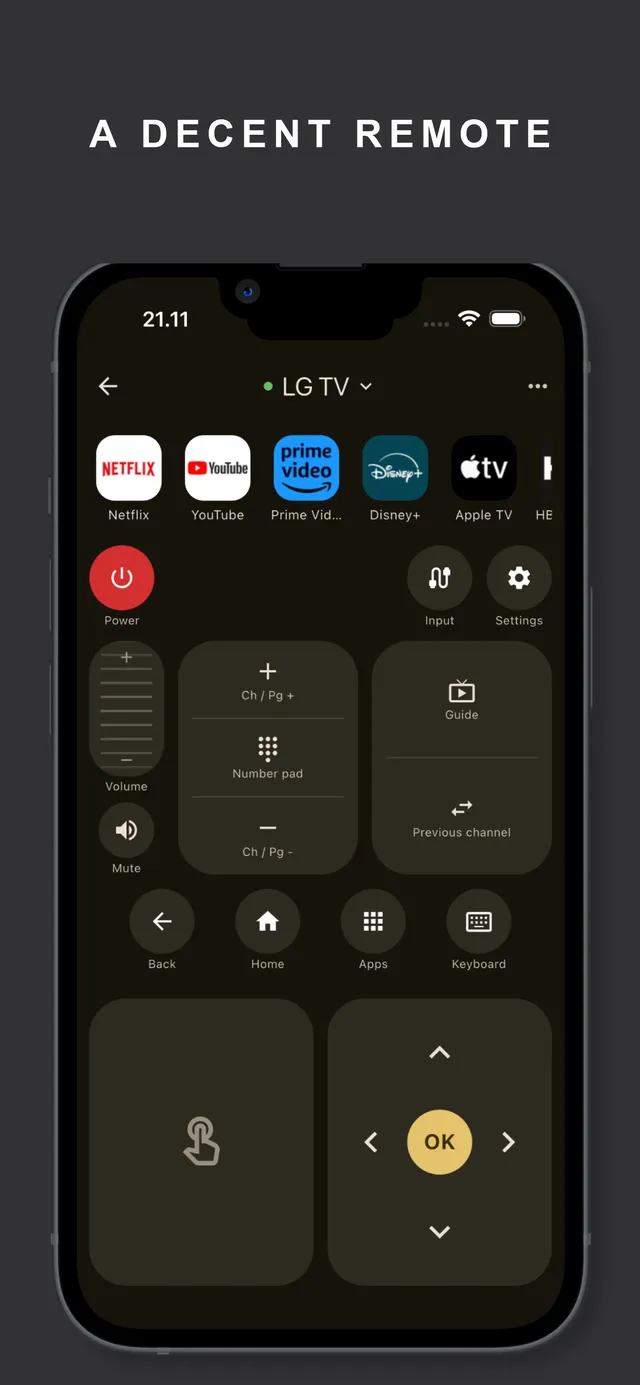
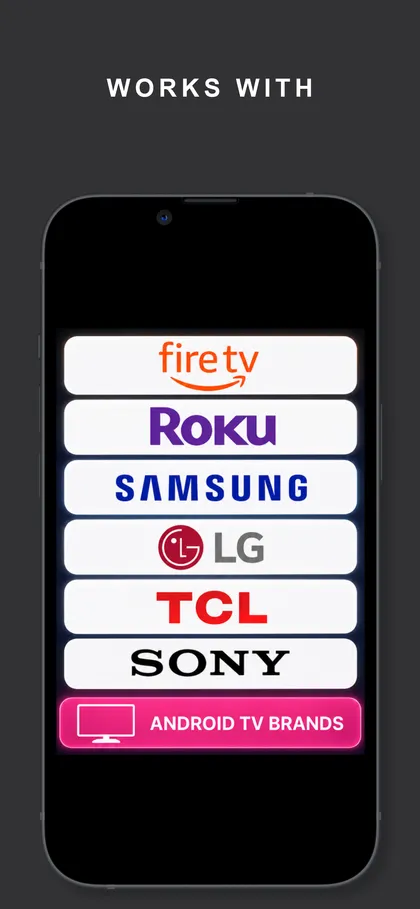
Works with every major TV brand
How it works
- Put your iPhone on the same Wi-Fi network as your TV.
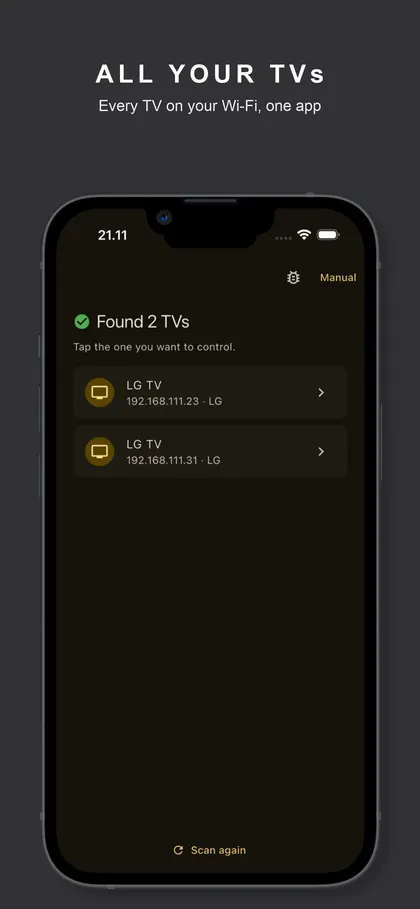
- Open the app. It scans the network and finds every TV automatically.
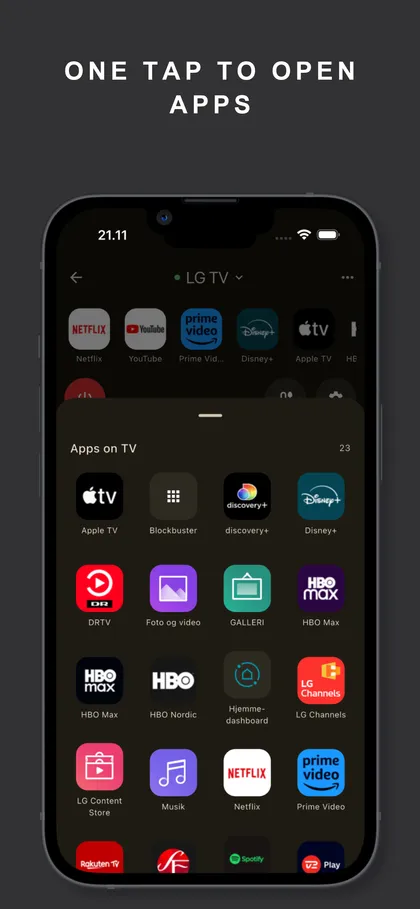
- Tap your TV. Some brands show a one-time allow prompt or PIN on the screen; approve it once and you have power, volume, apps, a d-pad, a touchpad and a real keyboard.
Guides
Lost your remote?
- Lost Your Fire TV Remote? Use Your iPhone as the Remote
How to control a Fire TV Stick from an iPhone when the remote is lost, including the HDMI-CEC trick that gets you past the on-screen approval.
- Lost Your LG TV Remote? Your iPhone Can Replace It
Control any LG webOS TV from your iPhone without the Magic Remote, including approving the pairing prompt when you have no remote at all.
- Lost Your Roku Remote? Use Your iPhone Instead
No Roku remote? Turn your iPhone into a full Roku remote in about two minutes, plus the hotspot trick for when the Roku is not on Wi-Fi.
- Lost Your Samsung TV Remote? Control It From Your iPhone
How to control a Samsung smart TV from an iPhone when the remote is gone, including how to approve the connection with no remote at all.
- Lost Your Vizio Remote? Pair Your iPhone in Two Minutes
Vizio SmartCast TVs show a pairing PIN on screen, no remote needed at all. Here is how to control a Vizio TV from your iPhone, step by step.
Your TV brand, from an iPhone
- Insignia TV Remote App for iPhone: No Official One Exists
Insignia never made a remote app. Most Insignia TVs are Fire TV models (older ones Roku), and your iPhone controls both. Steps and the approval trick.
- Lost Your onn TV Remote? Your iPhone Replaces It
Walmart onn TVs and boxes run Roku or Google TV, both controllable from an iPhone in under a minute. Pairing steps, the code screen, and volume tips.
- TCL TV Remote App: Control Any TCL From Your iPhone
Every TCL runs Roku, Google TV or Fire TV, so one iPhone app controls them all. How to tell which yours is, pair it, and fix the common snags.
- Control a Chromecast From Your iPhone (No Remote Needed)
Cast-only Chromecasts have no remote to lose; your phone is the remote. What an iPhone can control on a Chromecast, and which Chromecast you actually have.
- Use Your iPhone as an Android TV / Google TV Remote
Pair an iPhone with any Android TV or Google TV in under a minute: a PIN on screen, no old remote needed. Works for Sony, TCL, Hisense, Philips and more.
- Lost Your Hisense Remote? First, Find Out Which Hisense You Have
Hisense TVs run four different systems (VIDAA, Roku, Google TV, or Fire TV) and the iPhone remote fix differs for each. How to tell, and what to do next.
- Use Your iPhone as an Apple TV Remote (Lost Remote? No Problem)
The Siri Remote is gone again. Every way to control an Apple TV from an iPhone, including the pairing fix when the Apple TV refuses new connections.
- Panasonic TV Remote Apps: What Works and What Honestly Does Not
Pre-2019 Panasonic Viera sets connect with no pairing at all. From 2019 the protocol is encrypted and pairs with the PIN the TV shows. Both routes, honestly.
- Philips TV Remote App for iPhone (All Generations)
Philips TVs from 2014 to the newest Titan OS sets can be controlled from an iPhone. Which generation you have, how pairing works, and the honest limits.
- Control a Sony TV With Your iPhone (Lost Remote Included)
Sony Bravia TVs pair with a PIN shown on screen, no remote needed. How to control a Sony TV from an iPhone, plus the pre-shared-key option that never expires.
- Lost Your Toshiba TV Remote? Your iPhone Can Take Over
Toshiba Fire TV editions and older REGZA smart sets can both be controlled from an iPhone, but the setup differs. Which Toshiba you have and what to do.
Typing and search on the TV
- YouTube Search on Your TV From an iPhone: Photo Walkthrough
Every screen from the App Store to YouTube results on the TV, photographed on a real LG. About five minutes end to end, no TV remote involved.
- Apple TV Keyboard Not Popping Up on iPhone? Here Is the Fix
The "type on Apple TV from iPhone" notification is handy until it stops appearing. Why it breaks, every fix, and the route that types regardless.
- How to Search YouTube on Your TV From Your iPhone
Skip the letter grid. Two ways to search YouTube on the big screen using your iPhone keyboard, including one that works across six TV platforms.
- Can You Type Into Netflix on a TV? The Honest Answer
Mostly no, and it is Netflix's doing, not your remote app's. Why external keyboards are ignored, and the two workarounds that actually hold up.
- How to Type on Fire TV and Android TV From Your iPhone
Passwords and searches without the letter grid: how iPhone keyboard input works on Fire TV and Android/Google TV, what it covers, and where the limits are.
- How to Type on a Roku TV Without the On-Screen Keyboard
Stop hunting letters with the arrow keys. How to type into Roku search from a real keyboard on your iPhone, and why it works on every Roku.
Fixes and troubleshooting
- Are TV Remote Apps Safe? What They Can Actually See
What Local Network permission really grants, what a pairing PIN proves, why "works with all TVs" is usually false, and how to check any app before paying.
- How to Connect a TV to Wi-Fi Without the Remote
Four ways to get a smart TV onto Wi-Fi with no remote: Ethernet, a USB keyboard, the TV's own buttons, and the hotspot trick that makes it rejoin on its own.
- How to Reset a TV Without the Remote (Read This First)
A power-cycle drain fixes most of what people factory reset for, and takes two minutes. A factory reset without a remote can leave you stuck in a setup wizard.
- How to Turn On a TV Without the Remote
Check the standby light first: it tells you whether this is a remote problem or a dead TV. Then the hidden button and the CEC trick.
- How to Cancel a TV Remote App Subscription (and Get a Refund)
Cancel any iPhone remote app subscription in four taps, work out which app is actually charging you, and how to ask Apple for a refund on an unexpected charge.
- Free TV Remote Apps With No Subscription: The Honest List
Which remote apps are genuinely free, which only look free, and what the free ones cost you instead. Real App Store prices for the ten biggest universal apps.
- Top 10 TV Remote Apps for iPhone, Ranked by What a Year Costs
Every price pulled from the App Store listing: cheapest yearly plan, the plan Apple lists first, ads, download size. Nine of ten sell a weekly subscription.
- Pairing an iPhone With Your TV: Every Step, Photographed
From a cold start to a working remote in about three minutes: scan, tap your TV, type the PIN it puts on screen. Shot on a real LG, one run.
- How to Use Your iPhone as a TV Remote (Any Brand)
Yes, on almost any smart TV made since about 2014. What it needs, what it cannot do, and the exact pairing step for every major brand.
- TV Remote Apps in Hotels and Airbnbs: What Works and Why
Remote apps work great in Airbnbs (normal TVs, normal Wi-Fi) and usually fail in hotels (locked firmware, isolated Wi-Fi). What to expect and why.
- Sharp TV Remote App: First Find Out Which Sharp You Have
US Sharps are Roku TVs and pair instantly with an iPhone. Newer models elsewhere run Android TV or Fire TV. Old Aquos sets honestly cannot be controlled.
- How to Turn Up the Volume on a TV Without the Remote
Where the hidden volume buttons are on Samsung, LG, Sony, Vizio, TCL and Hisense TVs, what a single joystick button does, and the faster iPhone fix.
- Can a Remote App Control an Old Non-Smart TV?
iPhones have no IR blaster, so no app controls a dumb TV directly. The honest fix: a cheap streaming stick makes any TV with HDMI phone-controllable.
- How We Price a TV Remote App (Exact Numbers, No Tricks)
A Decent Remote went from free to paid for new users. The exact prices, why early users keep it free forever, and why we refused weekly pricing.
- Change Input on an LG TV Without the Remote (3 Ways)
LG TV stuck on the wrong HDMI? The joystick under the logo, a USB mouse, or your iPhone can all reach the input menu. Here is exactly how.
- Change Input on a Panasonic TV Without the Remote
Every Panasonic has physical controls that reach the input list, and pre-2019 sets accept phone control with no pairing. Both routes, plus the 2019+ answer.
- Samsung TV Input Button: Change Source Without the Remote
Switch a Samsung TV to HDMI 1, HDMI 2 or live TV with no remote: the hidden controller button, a phone app, or HDMI-CEC. All three ways, step by step.
- A TV Remote You Can Rearrange: Custom Layouts on iPhone
Physical remotes decide for you: forty buttons, six you use. How a customizable remote layout works, and why moving the touchpad matters more than it sounds.
- Hisense TV Not Responding to the Remote? Fix It From Your Phone
Dead batteries, broken IR, or a Bluetooth remote that unpaired: why Hisense remotes stop working per model type, and the phone takeover that ends it.
- Use a Philips TV Without the Remote: Inputs, Apps, Setup
The joystick under the bezel, a USB keyboard on Android models, and the iPhone route that works from 2014 sets to Titan OS. Every way in, step by step.
- How to Restart a Frozen Fire TV Stick (No Remote Needed)
Fire TV Stick frozen or unresponsive? The 30-second power cycle, the proper menu restart via HDMI-CEC or phone, and the fix that stops it recurring.
- Use a Sony TV Without Its Remote: Power, Inputs, Volume
Every Sony Bravia can be run without the original remote: the physical button, HDMI-CEC, a USB keyboard, or your iPhone. Where each one is and how to start.
- How to Stop or Take Over Casting on a Chromecast
Someone cast YouTube and left with their phone? Any iPhone on the network can pause, mute or stop a Chromecast session. How it works and how to lock it down.
- Toshiba Fire TV Remote Not Pairing? Do This, in Order
The reset sequence that fixes most Toshiba Fire TV remotes, the 10-device limit nobody mentions, and the phone fallback that works while you fix it.
- How to Turn On an Android TV / Google TV Without the Remote
Power button locations, the HDMI-CEC wake trick, and how a phone turns an Android TV on over Wi-Fi, including the one thing you must do while it still works.
- Vizio SmartCast Not Loading? Fixes That Actually Work
SmartCast stuck on the loading screen or "not available"? The power cycle that clears it, the network causes behind it, and how to keep control meanwhile.
- The Best TV Remote App for iPhone, by Brand (Honest Guide)
Official brand apps vs universal remote apps, what pairing each TV brand actually requires, and the cases where you don't need to install anything at all.
- iPhone as a TV Remote Without Wi-Fi: The Honest Answer
iPhones have no IR blaster, so no app controls a TV with zero network. But "no Wi-Fi" rarely means that: the hotspot method works with no internet at all.
- Remote App Cannot Find Your TV? The Network Checklist That Fixes It
When a TV remote app shows an empty device list, the cause is almost always one of seven network conditions. Work down this checklist in order. Two minutes.
- TV Will Not Turn On From the Remote App? Standby Is the Culprit
Remote apps can only wake a TV whose network stays on in standby. Which setting to flip per brand (Samsung, LG, Sony, Android TV, Vizio, Roku) and why.
Frequently asked questions
Which TVs work with a universal remote app on iPhone?
A Decent Remote controls Roku, Samsung, LG, Sony, Fire TV, Apple TV, Vizio, Hisense, Philips, Panasonic, Toshiba, Chromecast and Android/Google TV over Wi-Fi. That covers TCL, onn and Insignia sets too, since those run Roku, Fire TV or Google TV under the hood. Learn more
Does a TV remote app work without Wi-Fi?
Not directly: iPhones have no IR blaster, so every remote app needs a network path to the TV. When the router is down there is a hotspot trick that recreates the network your TV remembers. Learn more
Why is my TV not showing up in the app?
Nine times out of ten it is the iPhone's Local Network permission or the TV sitting on a different Wi-Fi band. Both take under a minute to check and fix. Learn more
Can my iPhone turn the TV on?
Yes on most brands. The app wakes TVs over Wi-Fi using Wake-on-LAN plus each platform's own power command; the TV's quick-start or networked-standby setting decides whether it responds. Learn more
Can I type on the TV with my iPhone keyboard?
Yes. Type into TV search fields with the iPhone keyboard instead of pecking at the on-screen letter grid, and jump straight into YouTube search results on every major platform. Learn more
Is A Decent Remote free?
Free to download, free to pair, and free for your first 50 button presses. After that it is $3.99 a month, or $12.99 a year. No ads, no weekly pricing. Learn more
Download A Decent Remote Get A Decent Remote on Android Free to try on your own TV. 50 free presses before any paywall Try the Android test